
Blogs

It happens more often than people admit. You get an email, a text, or a pop-up that looks legit… and before you know it, you’ve clicked a phishing link. Maybe it promised a delivery update, a bank notice, or a prize. Now you’re worried — did I just mess up my computer? Take a breath. Clicking a phishing link doesn’t always mean instant disaster, but you do need to act fast. Here are simple, practical steps to limit the damage — before things get worse. Step 1: Disconnect From the Internet Right Away As soon as you realize you clicked something suspicious: Turn off Wi-Fi Unplug your ethernet cable Stop any downloads This helps block malware from spreading or sending your data out. Step 2: Don’t Enter Any Passwords (If You Haven’t Yet) If the phishing page asked for logins and you didn’t type anything — that’s good news. Close the page immediately. If you did enter passwords: Change them right away Start with email, banking, and important accounts Avoid using the same password again And yeah… it’s annoying, but necessary. Step 3: Run a Full Virus Scan ASAP Phishing links often install hidden threats like spyware, trojans, or crypto-miners. Run a trusted antivirus scan or consider a professional Virus Removal Service to make sure nothing dangerous is hiding in the system. This step is important even if your computer “looks fine.” Hidden malware doesn’t always show obvious signs. Step 4: Watch for Strange Behavior Keep an eye on your device for: Slower performance Random pop-ups Unknown apps or files Browser redirects Accounts acting weird These can be signs that Malware and Virus Removal is needed before the problem spreads further. Step 5: Check Your Financial & Online Accounts If the phishing link looked like it was related to banking, shopping, or social media: Monitor transactions Watch for login alerts Enable two-factor authentication If something looks off, contact the company or bank right away. Step 6: Avoid Clicking “Fix It” Pop-Ups After phishing, some people panic and click more pop-ups that claim to “clean your PC.” That often makes things worse. If you’re unsure what to do next, it’s safer to get real Computer Repair Services instead of guessing. When It’s Time to Call a Professional If your system starts acting strange — or you just want peace of mind — getting help early is smarter than waiting. If you need Computer Repair in Westlake , Compu360 offers: Full Virus Removal Service Malware and Virus Removal Computer cleanup and security checks System repairs and performance tune-ups Free diagnostics with clear pricing They help both home users and small businesses fix issues before they turn into bigger problems. How to Avoid Phishing Next Time (Quick Reality Check) No one is perfect, but these habits help: Don’t click unknown links Be careful with urgent “account alert” emails Hover over links before clicking Keep your system and antivirus updated Trust your gut — if it feels off, it probably is Clicking a phishing link doesn’t make you careless — scammers are getting smarter every year. What matters is acting quickly after it happens. Run a scan. Secure your accounts. And if you feel unsure, getting a professional Virus Removal Service is way better than hoping the problem goes away on its own.

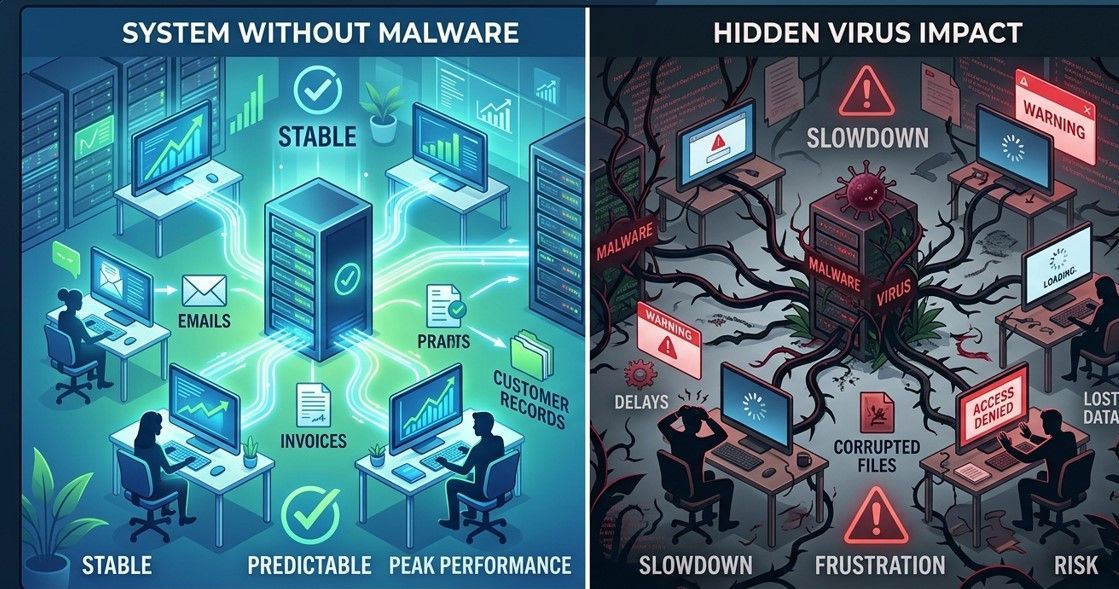
In an era where cyber threats evolve daily, having a reliable partner for Computer Repair in Westlake is no longer optional—it is a necessity for both homes and businesses. At Compu 360, LLC , we combine technical expertise with a commitment to local service to keep your digital life running smoothly. Comprehensive Computer Repair Services in Westlake Whether you are dealing with a shattered laptop screen, a failing hard drive, or a mysterious "blue screen," our team provides the full spectrum of computer repair services . We specialize in: Hardware Diagnostics & Repair: Identifying and replacing faulty components. System Optimization: Speeding up slow PCs and laptops. On-Site & Remote Support: Flexible service options for Westlake residents and businesses. The Critical Need for Virus Removal Service As we move through 2026, the complexity of digital threats has reached an all-time high. A standard "antivirus" scan is often not enough. Our professional virus removal service goes deep into your system's registry and hidden partitions to ensure that persistent threats are neutralized at the source. Expert Tip: If your computer is acting sluggish or displaying unexpected pop-ups, it likely requires immediate computer virus removal to prevent data theft. Advanced Malware and Virus Removal: Beyond the Basics Modern malware is designed to stay hidden, often masquerading as legitimate system processes. Our malware and virus removal protocol involves a multi-layered approach: Detection: Using advanced behavioral analysis to find "zero-day" threats. Quarantine: Isolating infected files to prevent further spread across your network. Restoration: Repairing damaged system files and ensuring your data remains intact. Prevention: Installing robust, AI-driven shields to block future incursions. Common FAQs About Computer Repair and Security Question Expert Answer How do I know if I need malware and virus removal? Expert Answer: Look for signs like high CPU usage, unauthorized emails sent from your account, or slow startup times. Is it better to repair or replace an old computer? Expert Answer: At Compu 360, we offer a "Repair vs. Replace" audit. If a simple upgrade can save you hundreds, we'll tell you. Where can I find the best computer repair in Westlake? Expert Answer: Compu 360, LLC offers certified expertise right here in Westlake, OH, with a 100% satisfaction guarantee. Why Choose Compu 360, LLC? Located in the heart of Westlake, Compu 360, LLC is not just another repair shop; we are your local IT department. We don't charge by the hour—we charge by the solution. This means you get a flat, transparent quote for your computer repair services before we even start the work. A+ Certified Technicians Free Diagnostics No Hidden Fees Emergency Services Available Don't let a digital "bug" compromise your productivity or privacy. For the most trusted computer virus removal and repair in the area, trust the experts who know Westlake best. Contact Compu 360, LLC today at (440) 871-9300 or visit us at our Westlake location to restore your system to peak performance.

We’ve all had that moment — your computer freezes up, starts making a weird noise, or refuses to turn on just when you need it most. Frustrating, right? The thing is, you don’t always have to pack it up and drive to a repair shop. With trusted computer repair in Westlake , many issues can be handled quickly, sometimes without leaving your home at all. Take a Minute to Check What’s Actually Wrong Before calling for help, take a look yourself. Maybe the problem isn’t as bad as it looks. Loose cables, dust buildup, or too many apps open can all slow things down. It’s easy to overlook small things when you’re frustrated. Local techs at Compu360 say that many clients contact them for big repairs that turn out to be something simple — which means checking first can save time and stress. Remote Fixes Can Save the Day These days, you don’t always need a technician knocking on your door. Most modern computer repair services offer remote support. The Compu360 team, for instance, can connect to your computer securely and handle issues like virus removal, system cleanup, and software errors right from their office. It’s fast, safe, and a lot more convenient than packing up your setup. Keep a Few Basic Tools Handy You don’t need to be a computer genius, but having a few basics — like a small screwdriver, microfiber cloth, and extra USB drive — can help when small issues pop up. A quick cleaning inside the case or checking a cable connection can sometimes bring a “dead” PC back to life. And if things look too complicated, Compu360 offers in-home tune-up services that keep your computer running smoothly. Strange Noises Mean Trouble If your computer suddenly sounds like it’s trying to take off, or feels hot even when you’re not doing much, something’s off. It might be a fan issue or a failing hard drive. Don’t wait until it shuts down completely. Technicians from Compu360, who handle computer repair in Westlake , often remind users that catching small problems early can prevent expensive repairs later. Update, Backup, Repeat One of the simplest ways to avoid computer trouble is to keep your system updated. Outdated software leaves your machine open to bugs and security risks. And never forget backups — once a week is ideal. If you’re not sure how to set up automatic backups, the Compu360 team can help with cloud or local storage setup as part of their computer repair services . Computers don’t usually break without warning — they show little signs first. Paying attention and getting help early can save you from bigger headaches. If your PC is running slow or acting strange, reach out to Compu360, your local experts for computer repair in Westlake . They offer everything from remote diagnostics to full repairs, all designed to get you back online without stepping outside your home.